
Digital & Social Media Landmines › For Elementary Schools
Digital & Social Media Curriculum for Elementary
An age-appropriate curriculum that builds smart, kind, and safe habits from the start.
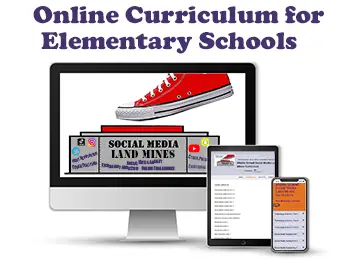
An age-appropriate curriculum that helps your youngest students build healthy screen habits, online kindness, and safety awareness—while the habits are still forming and easy to shape.
 Learn More About Bringing This Curriculum to Your School
Already enrolled? Access the curriculum →
Learn More About Bringing This Curriculum to Your School
Already enrolled? Access the curriculum →
About This Curriculum
Built for your youngest students
This curriculum introduces elementary students to smart, kind, and safe technology use in language they understand—covering healthy screen-time balance, being kind online, what’s safe to share, recognizing who they’re really talking to, telling a trusted adult, healthy gaming habits, and simple rules for using devices responsibly.
What It Does
Designed to reinforce — or stand alone
Use it to reinforce a live presentation, or as a complete stand-alone unit. It breaks the message into short, age-appropriate segments your teachers can run with minimal prep.
💡 Why We Created This Curriculum
We built this curriculum because a single presentation—no matter how powerful—isn’t enough to create real, lasting change. So we created this fun, interactive curriculum to reinforce the lessons all year long, turning one memorable assembly into a message that actually sticks.
This curriculum is designed to pair with our dynamic and engaging live in-person, virtual, or on-demand digital wellness and social media safety presentations—reinforcing the presentation’s message so it makes a deeper, lasting impact within your school. It also works beautifully as a stand-alone curriculum on its own.
Learn More About Our Digital Wellness & Social Media Safety Presentations →Learning Outcomes
What Students Walk Away With
Screen Time & Healthy Balance
Balancing screens with sleep, play, and real-life friendships.
Being Kind Online
Treating others with kindness on devices, just like in person.
Safe vs. Unsafe to Share
Knowing what’s okay to share online—and what should stay private.
Who You’re Really Talking To
Understanding that people online aren’t always who they say they are.
Telling a Trusted Adult
Knowing when and how to tell a trusted adult something feels wrong.
Healthy Gaming Habits
Enjoying games while keeping balance and recognizing when to step away.
Simple Rules to Follow
Easy-to-remember rules for using devices responsibly.
Included Curriculum
The Modules
Each module covers one focused topic. Teach them in sequence or pick the ones that fit your plan—every module stands on its own.
Screen Time & Healthy Balance
Being Kind Online
What’s Safe vs. Unsafe to Share
Who You’re Really Talking To — Online Stranger Safety
Cyberbullying & Telling a Trusted Adult
Healthy Gaming Habits
Simple Rules for Using Devices Responsibly
How Each Segment Works
A Simple Three-Part Format
Video Segment
Each topic opens with a short, dynamic clip from the full presentation—the same edutaining style, on demand, from any device.
Class Discussion
Teachers lead a guided discussion with provided questions tailored to the topic—getting students thinking and talking openly.
Activity & Assignment
Each segment closes with an activity and/or assignment that reinforces the lesson and lets students apply what they learned.
What’s Inside the Curriculum
Whether you use it to reinforce a live presentation or run it on its own, the curriculum breaks the full message into focused segments—each with a video, discussion questions, and an activity—ready to teach all year.
- The full program broken into by-topic segments
- Each segment: video, discussion questions, and an activity
- Pairs with a live/virtual presentation, or stands alone
- Reinforces the lessons all year long
For Teachers
Flexible for Every Classroom
Use every module in sequence, or pick the topics that fit what you’re already teaching—it works either way.
Project It in Class Together
The simplest approach—no student accounts. Play the video for the class, then lead the discussion and activity as a group.
- Play the video on your classroom screen
- Lead the discussion using the provided questions
- Facilitate the activity or give the assignment
- Move to the next module whenever you’re ready
Individual Student Access
For self-paced or blended learning, create classes in the portal and invite students to work through modules individually.
- Create a class in the portal and invite students
- Students log in and complete modules at their own pace
- Track progress from your teacher dashboard
- Use class time for discussion and activities
Bring this curriculum to your elementary schools
Tell us about your students and we’ll help you bring the digital & social media program and curriculum to your school.
Learn More About Bringing This Curriculum to Your School Or access the curriculum directly →